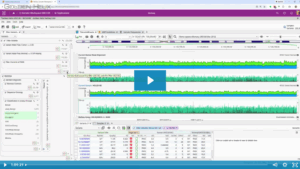
The new VSWarehouse Tutorial covers the basic VSWarehouse workflow. This tutorial focuses on connecting to a VSWarehouse instance from VarSeq, adding an existing VSWarehouse project as an annotation source and using reports and assessment catalogs hosted on VSWarehouse.
This workflow requires an active VarSeq license with the VSWarehouse feature included. You can go to Discover VarSeq or email [email protected] to request an evaluation license with the VSWarehouse functionality included.
The VSWarehouse server allows for the simple centralized management of the variants and samples previously imported in VarSeq. Using VSWarehouse as part of an existing VarSeq workflow allows users to add previously seen variants to the current project. This can include variants from previous projects, reports or assessment catalogs. These resource are all centrally located allowing for easy management and collaboration.

The tutorial will walk you through the following:
- Adding a project as an Annotation
- Using VSWarehouse Assessment Catalogs
- Using a VSWarehouse Report
- Uploading projects to VSWarehouse
- Exploring VSWarehouse
If you have any comments or questions about this new tutorial please let us know!
Additional VarSeq tutorials and resources can be found here.