
If you’ve ever found yourself clicking through variants one by one, adding them into a VSClinical evaluation, you’ve probably had the thought: there has to be a faster way.
Good news—there is.
With VSClinical Evaluation Scripts, you can take repetitive, click-heavy workflows and turn them into streamlined, automated processes that save time and reduce the chance for manual error.

Bring Everything in, then Refine the Scope
One simple but powerful example for an evaluation script: automatically bringing all variants into a VSClinical evaluation. Instead of manually selecting variants across the tables for SNVs, CNVs, and structural variants, you can use an Evaluation Script to pull everything in at once. From there, the workflow flips:
Instead of adding variants one by one, you simply remove what’s not relevant.
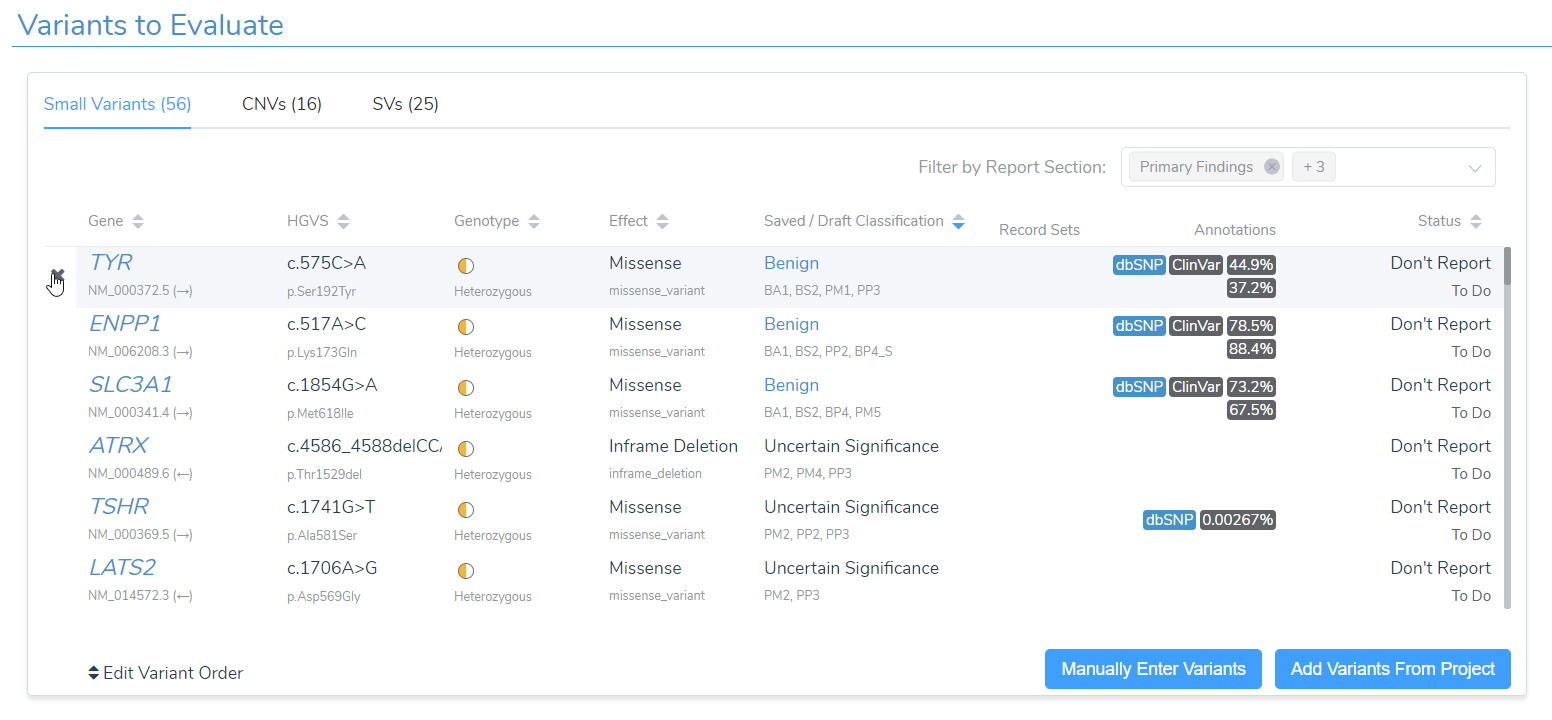
It’s a subtle shift, but in busy clinical workflows, it can make a meaningful difference in turnaround time and consistency. This is just one example of how a custom evaluation script can change the flow of your work to better suite your needs.
Handling Complex Data (Without the Headache)
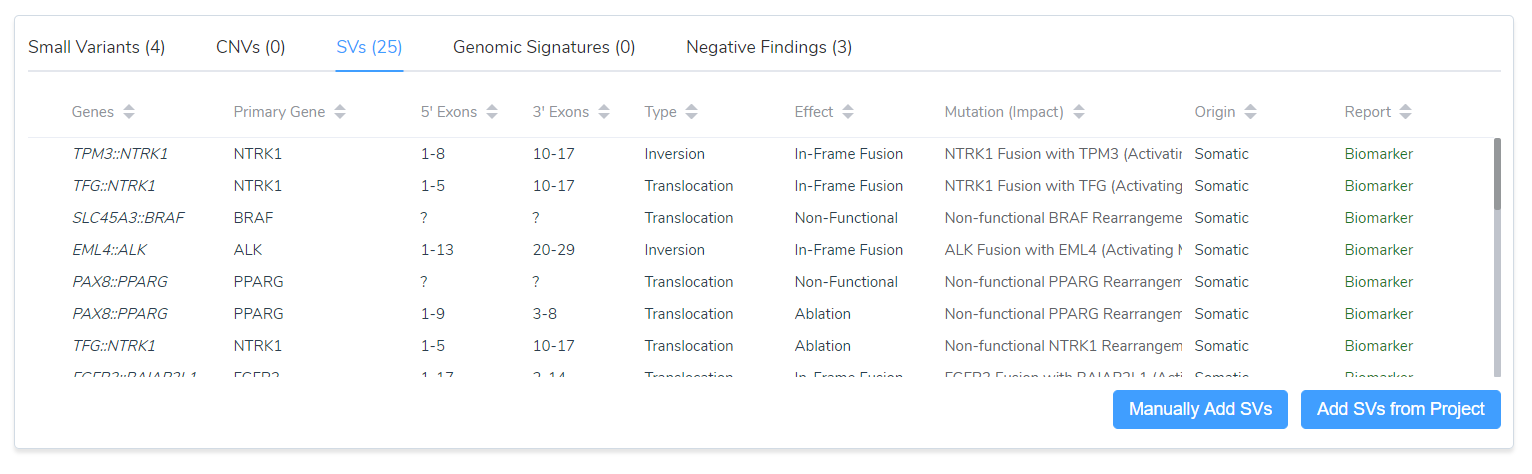
Automation becomes even more valuable when working with non-standard or complex VCF formats. For example, certain pipelines, like Oncomine, can represent structural variants in ways that don’t always flow cleanly into downstream interpretation. With a custom Evaluation Script, you can:
- Parse atypical VCF representations
- Automatically identify PASS-quality structural variants
- Bring them directly into VSClinical for somatic analysis
No manual extraction. No workaround spreadsheets. Just clean, automated ingestion of the data you care about.
One Ecosystem, Fully Connected
The real power of Evaluation Scripts shines when they’re used within the full Golden Helix platform.
- VarSeq handles variant processing, filtering, and prioritization
- VSClinical drives interpretation and reporting
- VSWarehouse enables scalable data storage, cohort analysis, and cross-case querying
Evaluation Scripts act as the connective tissue, automating how data flows from analysis to interpretation, while ensuring your lab’s logic is applied consistently every time. If you’re curious how far you can take automation, we’ve put together a webcast on Custom Evaluation Scripts that walks through real-world examples, best practices, and implementation strategies. We also have a number of webcasts that dive into how we can automate the secondary and tertiary parts of NGS analysis with VSWarehouse, which you can see here and here.
Ready to Automate Your Workflow?
Whether you’re looking to eliminate repetitive steps, handle complex data formats, or scale your operations across teams, Evaluation Scripts can help you get there faster. If you’d like to explore how this could work in your lab, or get a hold of any of the evaluation scripts mentioned here, we’d love to connect. Reach out to [email protected] to start the conversation.