This project contains an exome pair (Normal-N990005 and Tumor-T990005) from the gastric cancer study Exome sequencing of gastric adenocarcinoma identifies recurrent somatic mutations in cell adhesion and chromatin remodeling genes, published in Nature Genetics. Exome sequence data was downloaded from the NCBI Sequence Read Archive (SRA) under accession SRA045832. Batch single-sample variant calling was done with BWA + GATK through the Seven Bridges Genomics pipeline. The full BAM and VCF data is available through VarSeq under Tools > Manage Data Sources, in Example Samples > Gastric Cancer Samples.
Initial Workflow Summary
The VCF files were imported using the Tumor-Normal template. We set the tumor/normal relationship and, on the last dialog, restricted import to chromosomes 3-5 within defined exon regions from RefSeq Genes 105v2, NCBI. The result: 11,079 variants from the combined pair.
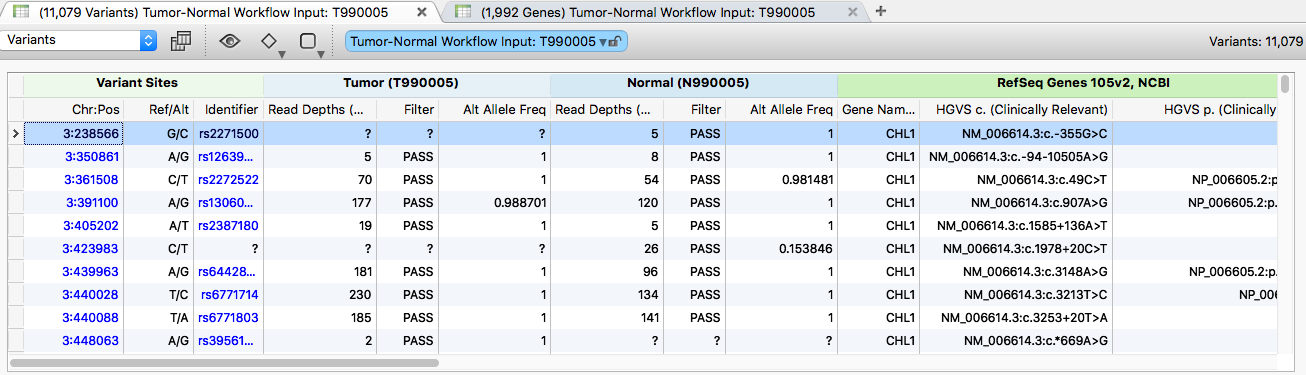
The variants were then annotated with the following sources:
- RefSeq Genes 105v2, NCBI
- COSMIC 71v2 Mutations Left Aligned 71v2, GHI
- OMIM Genes and Phenotypes from the 2016-06-01 release
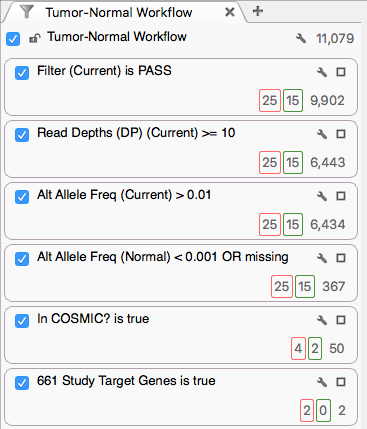
The variants were then filtered with:
- Tumor Sample Filter field contains PASS
- Tumor Sample Read Depth (DP) ≥ 10
- Tumor Sample Alt Allele Freq > 0.01
- Normal Sample Alt Allele Freq < 0.001 or missing
- Variant present in COSMIC 71v2
- Variant present in the 661 Study Target Genes selected gene list
Investigating Results
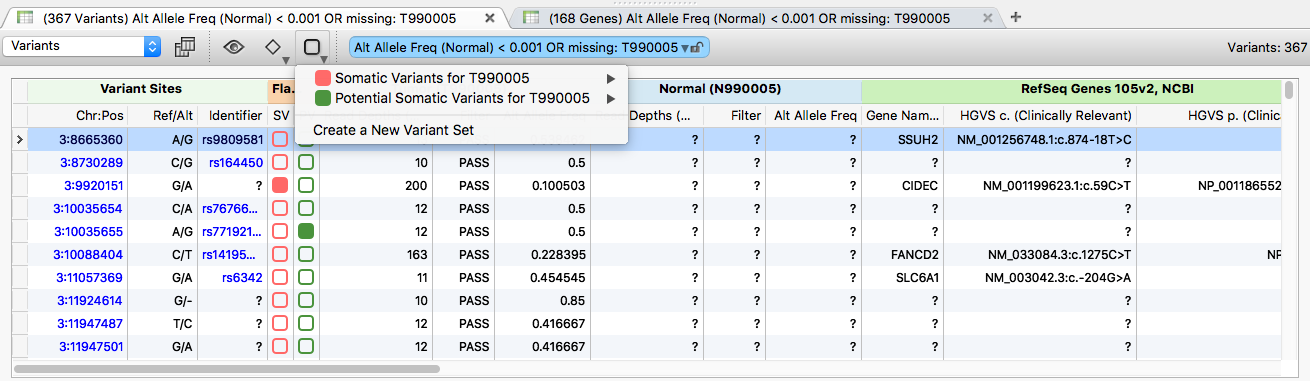
Of the 11,079 variants imported, 367 meet the QA criteria of the first two filter cards and fit the pattern of sufficient alternate allele frequency in the tumor and absence in the normal. As you scroll the variant list, verify true somatic mutations against the BAM reads for each sample.
From these 367 variants, two Variant Sets were created: one for confirmed somatic mutations and one for potential somatic mutations.
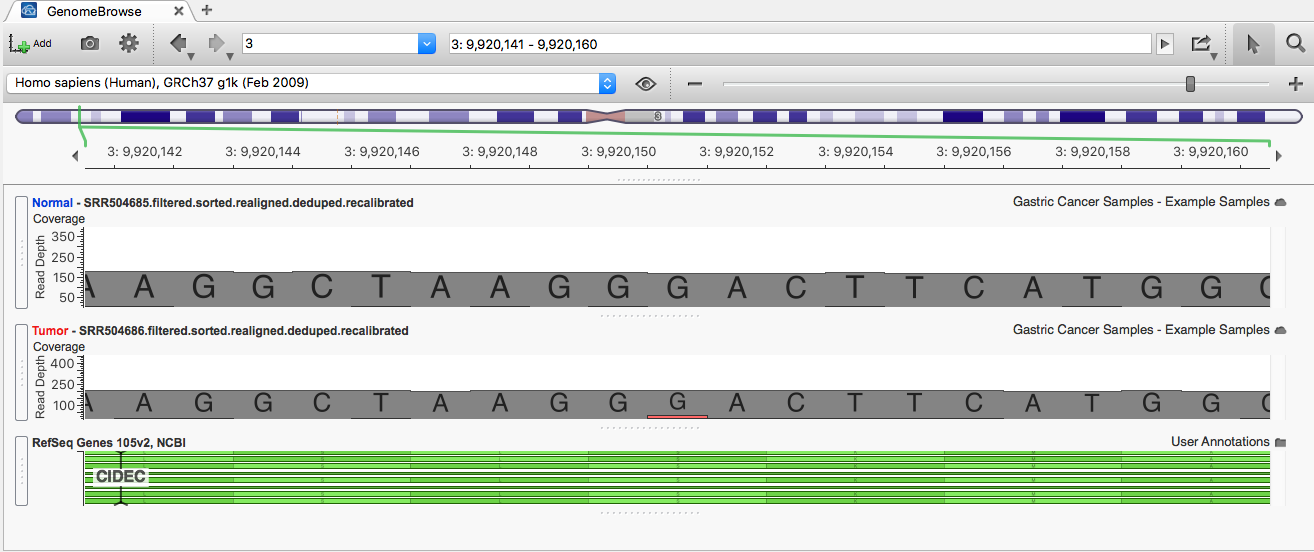
Click the row with the red flag in the SV variant set to see a confirmed somatic variant in GenomeBrowse: 3:9920151 G/A.
Click the row with the green flag in the PV variant set to see a potential somatic variant: 3:125725559 C/G.
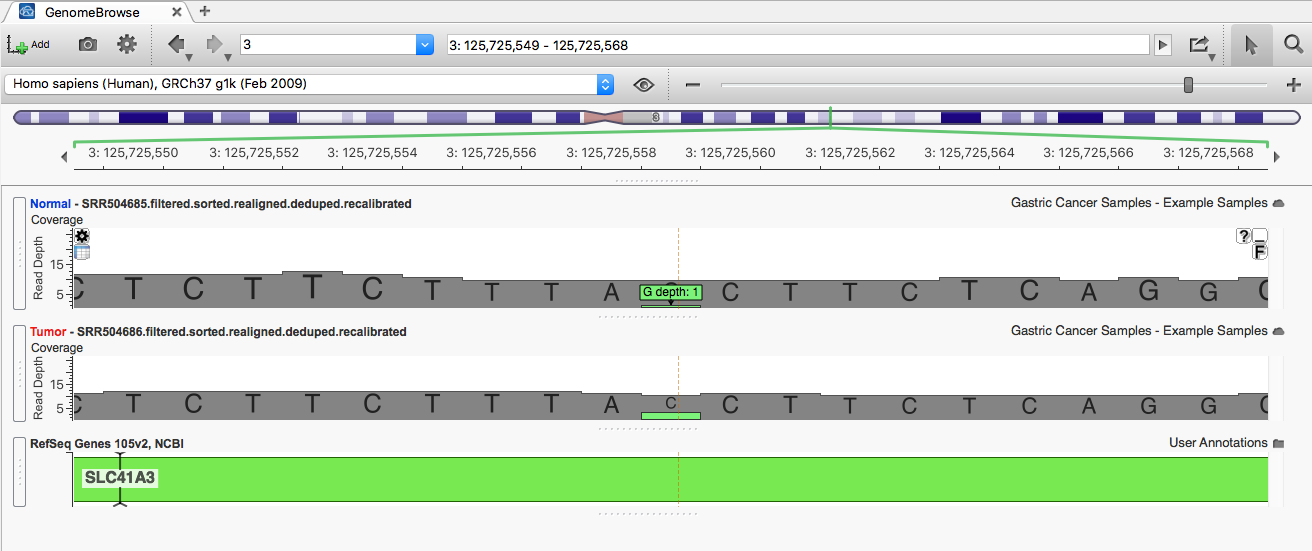
Variants in the Potential Somatic Mutations set were included if there was no coverage in the normal sample for the region or if the variant had a single read for the alternate allele. These flag regions that may need re-sequencing to confirm findings.
Of the 367 variants, 50 are present in COSMIC 71v2. Click the 50 at the bottom of the COSMIC 71v2 filter card.
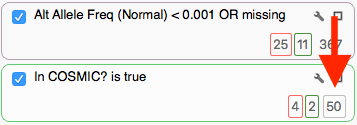
Of those 50 COSMIC-matched variants, 4 are flagged as Somatic Variants (the 4 in the red square) and 2 are flagged as Potential Somatic Variants (the 2 in the green square).
Filtering by a Gene List

The last filter card was created with the Add > Computed Data > Match Gene List algorithm, which determines matches between the gene annotation of each variant and a user-selected list of gene or identifier symbols.
The original study identified 661 genes containing non-silent somatic point mutations, and we used that list to define the filter.
Of the 50 variants reaching this stage, 2 fall within those 661 genes. Click the 2 at the bottom of the filter chain to update the variant table.

Exporting Data
To export an annotated VCF of the variants of interest for the combined pair, click the 367 on the Alt Allele Freq (Normal) < 0.001 OR missing card, then go to Export > VCF File. On the first dialog, choose to export only the variant table.
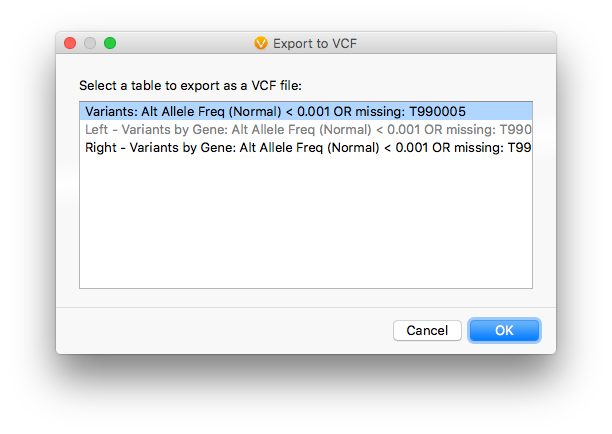
On the second dialog, include the RefSeq Genes 105v2, NCBI, Summary of COSMIC 71v2 Mutations Left Aligned 71v2, GHI, and the Flag fields from the Variant Sets in addition to the default checked items.
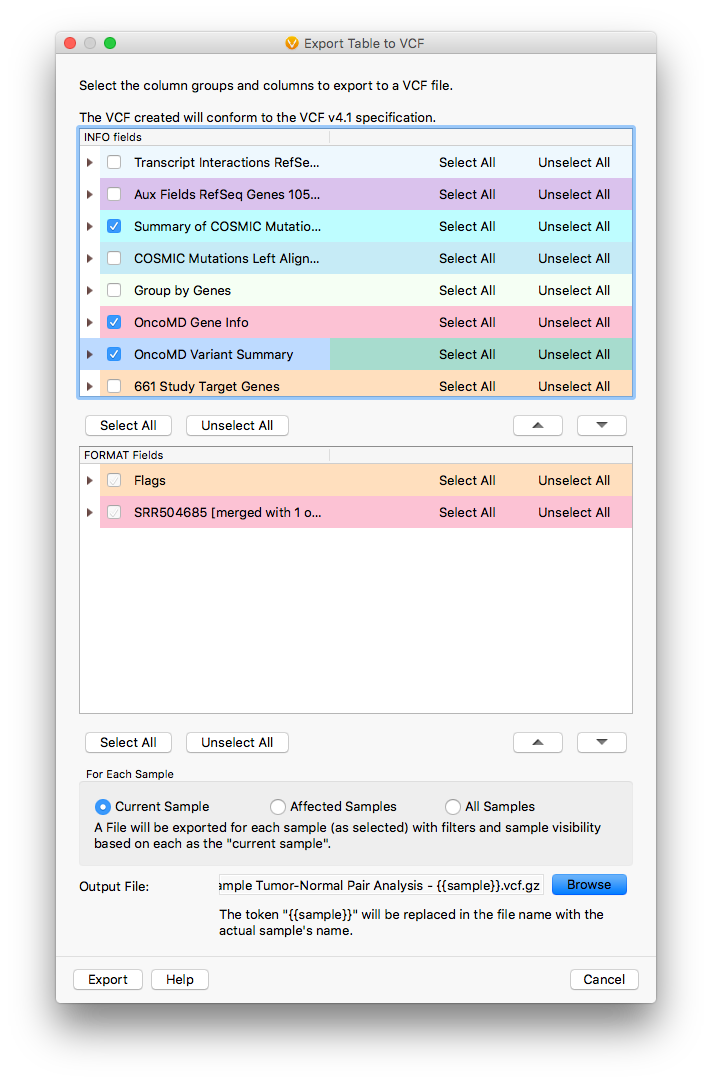
The result is an annotated VCF file you can import into a new project for further analysis or load directly into a GenomeBrowse window for visualization.